VPS / Production Deployment
Deploy the complete Open Saasframe stack — application, PostgreSQL, Redis, and Meilisearch — to any Linux server using Docker Compose.
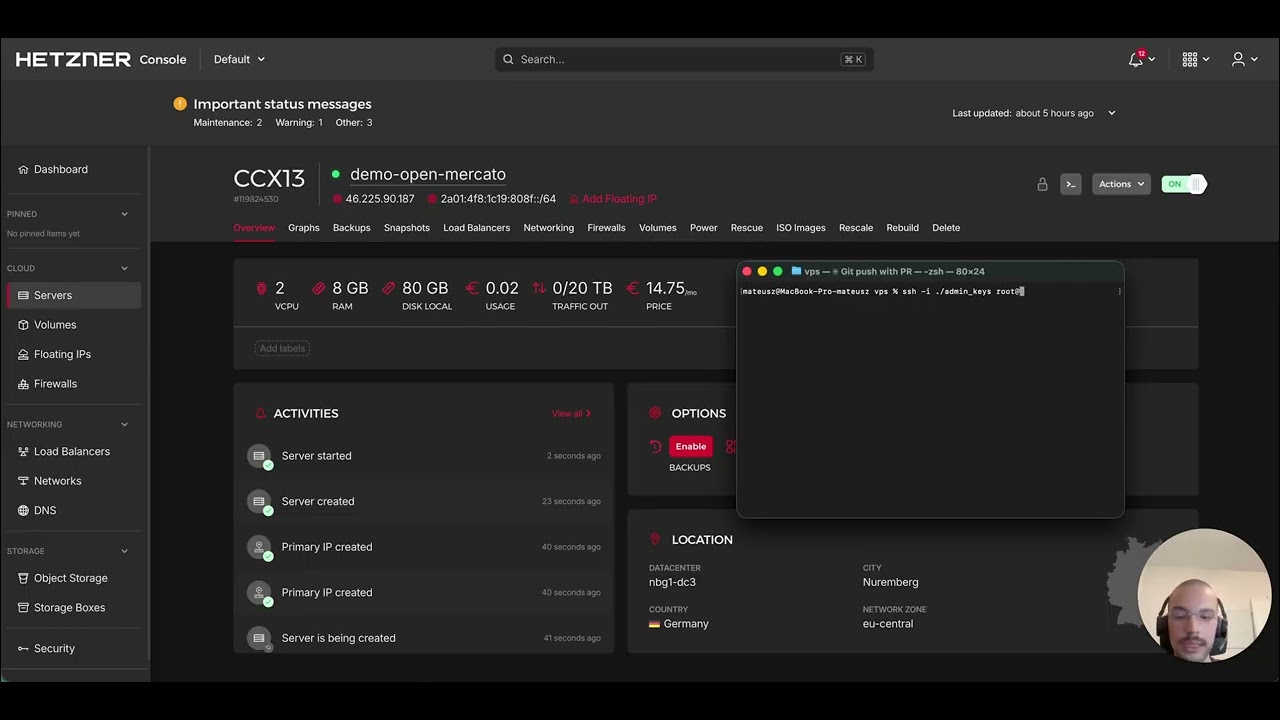
Prerequisites
- A Linux server or VPS (Ubuntu 22.04+ recommended)
- Docker 24+ and Docker Compose v2+
- At least 2 GB RAM (4 GB recommended for production workloads)
- A domain name pointed at the server (for HTTPS)
Install Docker on Ubuntu:
sudo apt update
sudo apt install -y docker.io docker-compose-v2
sudo usermod -aG docker $USER
newgrp docker
Quick start
git clone https://github.com/saasframe/saasframe.git
cd saasframe

cp apps/saasframe/.env.example apps/saasframe/.env
# Edit apps/saasframe/.env with your production values (see below)

docker compose -f docker-compose.fullapp.yml up --build -d
The application will be available at http://your-server-ip:3000/backend.
Sign in with the default admin credentials printed during first-run initialisation.
Environment variables
Edit apps/saasframe/.env before starting. At minimum, set:
# Database
POSTGRES_USER=postgres
POSTGRES_PASSWORD=your-strong-db-password
POSTGRES_DB=saasframe
DATABASE_URL=postgres://postgres:your-strong-db-password@postgres:5432/saasframe

# Authentication
JWT_SECRET=your-strong-jwt-secret

# Application
APP_URL=https://your-domain.com
NODE_ENV=production
# NODE_OPTIONS=--max-old-space-size=3072  # default; raise for larger hosts — see Troubleshooting

# Cache
CACHE_REDIS_URL=redis://redis:6379
CACHE_STRATEGY=redis

# Search (optional but recommended)
MEILISEARCH_HOST=http://meilisearch:7700
MEILISEARCH_API_KEY=your-strong-meilisearch-key
MEILISEARCH_MASTER_KEY=your-strong-meilisearch-key

# AI features (optional)
OPENAI_API_KEY=sk-...

# Vector search auto-indexing is disabled by default in the shipped example env.
# Enable it explicitly when you want automatic embedding jobs.
SF_DISABLE_VECTOR_SEARCH_AUTOINDEXING=false
If you leave SF_DISABLE_VECTOR_SEARCH_AUTOINDEXING=true, vector search can still be configured and reindexed manually. The legacy alias DISABLE_VECTOR_SEARCH_AUTOINDEXING=1 remains supported for existing deployments.
Generate strong secrets:
openssl rand -hex 32   # for JWT_SECRET
openssl rand -hex 24   # for MEILISEARCH_MASTER_KEY
The container hostnames (postgres, redis, meilisearch) match the service names in docker-compose.fullapp.yml. Use these exact names in your connection strings — not localhost.
Common operations
# Start in detached mode
docker compose -f docker-compose.fullapp.yml up -d

# View logs — all services
docker compose -f docker-compose.fullapp.yml logs -f

# View logs — app only
docker compose -f docker-compose.fullapp.yml logs -f app

# Rebuild after pulling new commits
docker compose -f docker-compose.fullapp.yml up --build -d

# Stop all services
docker compose -f docker-compose.fullapp.yml down

# Apply new migrations (after upgrade)
yarn docker:db:migrate
# or directly:
docker compose -f docker-compose.fullapp.yml exec app yarn db:migrate
Data persistence
Data is stored in named Docker volumes that survive container restarts:
| Volume | Contents |
|---|---|
saasframe-postgres-data | PostgreSQL database |
saasframe-redis-data | Redis cache and events |
saasframe-meilisearch-data | Meilisearch indexes |
Backup PostgreSQL:
docker exec saasframe-postgres pg_dump -U postgres saasframe > backup-$(date +%Y%m%d).sql
Restore PostgreSQL:
cat backup.sql | docker exec -i saasframe-postgres psql -U postgres -d saasframe
HTTPS with a reverse proxy
For production, put a reverse proxy in front of the app. Example with nginx:
server {
    listen 80;
    server_name your-domain.com;
    return 301 https://$host$request_uri;
}

server {
    listen 443 ssl;
    server_name your-domain.com;

    ssl_certificate /etc/letsencrypt/live/your-domain.com/fullchain.pem;
    ssl_certificate_key /etc/letsencrypt/live/your-domain.com/privkey.pem;

    location / {
        proxy_pass http://localhost:3000;
        proxy_set_header Host $host;
        proxy_set_header X-Real-IP $remote_addr;
        proxy_set_header X-Forwarded-For $proxy_add_x_forwarded_for;
        proxy_set_header X-Forwarded-Proto $scheme;
    }
}
Use Certbot for free Let's Encrypt certificates.
Production security checklist
-
JWT_SECRET— strong random value, never the default -
POSTGRES_PASSWORD— strong random value -
MEILISEARCH_MASTER_KEY— strong random value -
NODE_ENV=production - Database and Redis ports not exposed to the public internet
- HTTPS configured via reverse proxy
- Automated daily backups scheduled for the PostgreSQL volume
- Docker resource limits configured for containers
Troubleshooting
Container fails to start:
docker compose -f docker-compose.fullapp.yml logs app
Database connection errors:
# Check PostgreSQL is running
docker compose -f docker-compose.fullapp.yml ps postgres

# Check the DATABASE_URL matches the container config
grep DATABASE_URL apps/saasframe/.env
Out of disk space:
docker system df            # check usage
docker system prune -a      # clean unused resources (does not touch named volumes)
App container keeps restarting (OOM killed):
Check the effective V8 heap limit inside the running container:
docker compose -f docker-compose.fullapp.yml exec app node \
  -e "const s=require('v8').getHeapStatistics(); \
      console.log(Math.round(s.heap_size_limit/1024/1024)+' MB heap limit')"
If the value is below 1 GB, raise NODE_OPTIONS in apps/saasframe/.env then restart:
| Host RAM | NODE_OPTIONS value |
|---|---|
| 4 GB | --max-old-space-size=3072 (default) |
| 8 GB | --max-old-space-size=5120 |
| 16 GB+ | --max-old-space-size=8192 |
docker compose -f docker-compose.fullapp.yml up -d
Full reset (deletes all data):
docker compose -f docker-compose.fullapp.yml down -v
docker compose -f docker-compose.fullapp.yml up --build -d